
Scaler OpenEnv Hackathon: Building an RL Environment for Email Triage Agents
 Ojas Deshpande
Scaler OpenEnv Hackathon: Building an RL Environment for Email Triage Agents
Most email classification benchmarks are way too clean. They hand a model one sentence at a time—like "I want a refund"—and ask it to pick a single label, treating every mistake as equally bad.
Real company inboxes look nothing like that. Customers send emails that mix two different problems in the same paragraph ("I think I was charged twice, and now my login is locked—not sure if urgent"). Figuring out what to do often requires checking an order or payment tool first. And mistakes are not symmetric: accidentally sending a spam email to the support queue is a minor annoyance, whereas routing a real customer outage or double-charge into spam is a disaster.
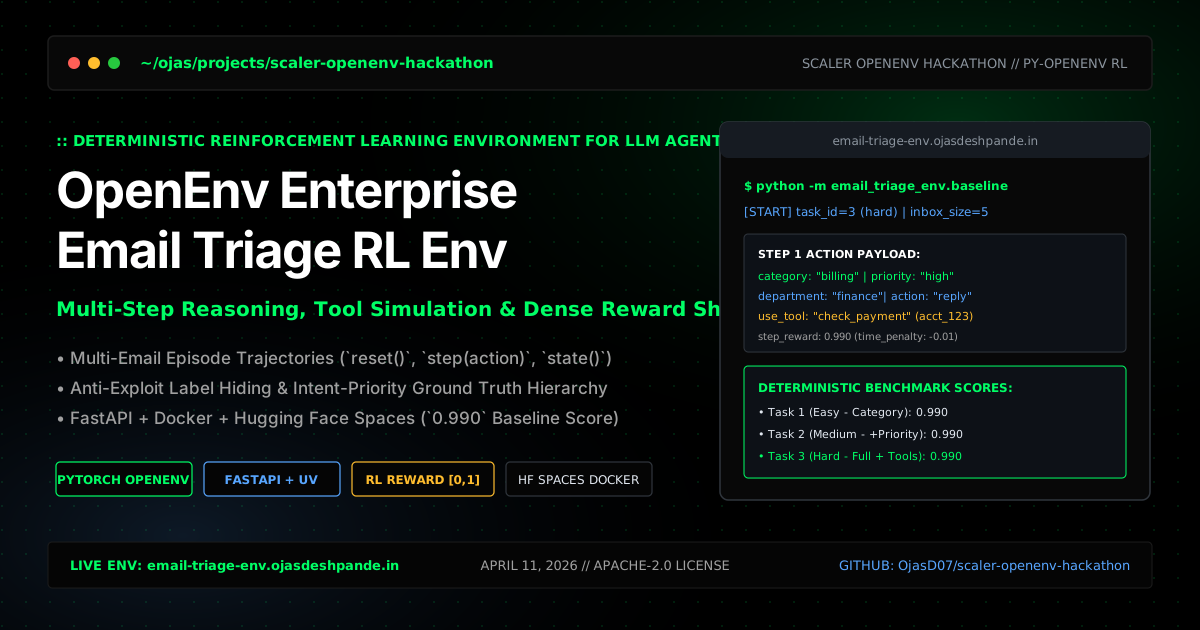
For the Scaler OpenEnv Hackathon (April 11, 2026), I built TOKEN0—a deterministic, OpenEnv-compatible reinforcement learning environment that tests how well LLM agents handle multi-email inbox episodes, ambiguous requests, and tool calls.
Project Links
- Live Environment: https://email-triage-env.ojasdeshpande.in/
- Interactive Swagger Docs (
/docs): https://ojasd07-email-triage-env.hf.space/docs - GitHub Repository: https://github.com/OjasD07/scaler-openenv-hackathon
- OpenEnv Config (
openenv.yaml): View on GitHub - Submission & Baseline Script (
inference.py): View on GitHub
1. How the Environment Works (reset, step, state)
Instead of grading isolated single-turn prompts, EmailTriageEnvironment runs as a multi-step episode over a FastAPI server (email_triage_env/server/app.py):
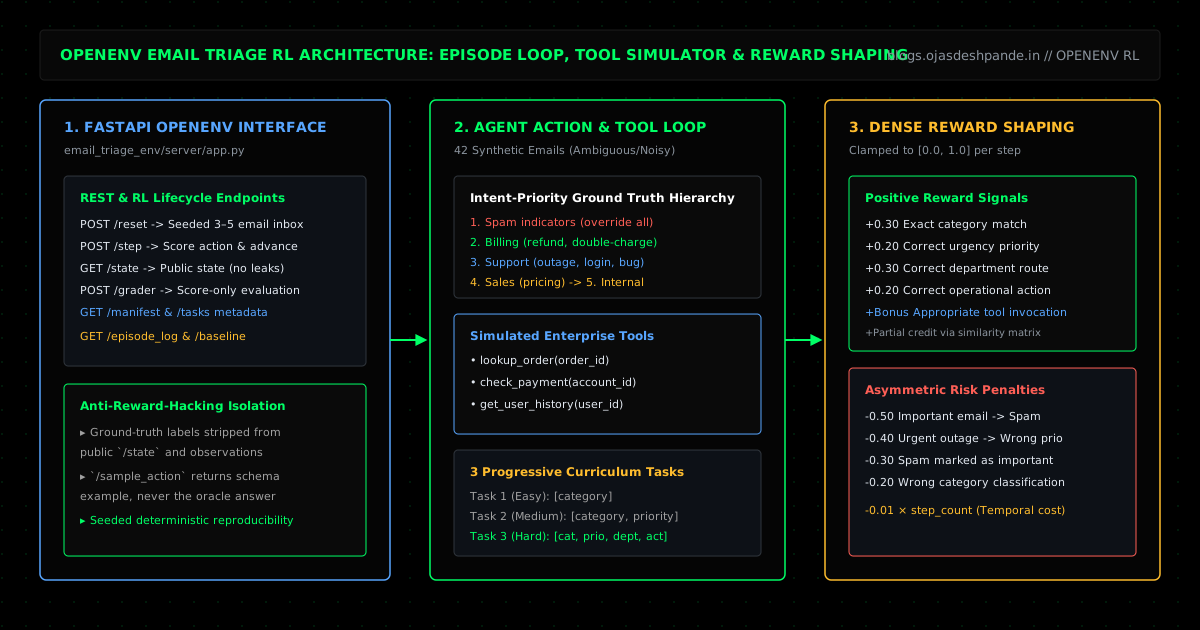
1. POST /reset: Loads a reproducible, seeded inbox of 3 to 5 emails pulled from a 42-email synthetic dataset (including noisy text and 8+ intentionally ambiguous multi-intent emails) along with a difficulty level (Task 1: easy, Task 2: medium, or Task 3: hard).
2. POST /step: The agent reads current_email and inbox_summary, optionally calls a simulated backend tool (lookup_order, check_payment, or get_user_history), and submits its decision (category, priority, department, action).
3. Transition & Tool Output: The environment scores the step, logs it to episode_history, and returns the next email in the queue along with the tool_result from the tool the agent just called.
2. Resolving Ambiguous Emails & Shaping the Reward
When an email mentions both a billing issue and a general question, keyword counting falls apart. To make ground-truth grading 100% deterministic, the environment uses a clear 5-level Intent Priority rule:
1. Spam indicators override everything else.
2. Billing wins if the core ask involves a refund, double charge, or invoice fix.
3. Support wins if the user is locked out, hitting a bug, or reporting an outage.
4. Sales wins for pricing, seat upgrades, demos, or contracts.
5. Internal covers internal team ops and approvals.
Urgency is also based on operational impact rather than polite wording: if a user writes "Not sure if this is urgent, but our production dashboard is completely down", the true priority is still high.
Asymmetric Reward Shaping ([0.0, 1.0])
To reflect real inbox stakes, the reward function gives partial credit for close categories and a small bonus for appropriate tool usage, while applying heavy penalties for dangerous mistakes:
3. Preventing Benchmark Cheating (Oracle Leakage)
One thing we tightened up while building the environment was making sure an agent couldn't "cheat" by inspecting the public API endpoints:
- No labels in
/stateor/reset: Public observations only showemail_id,subject,sender,email_text, anddifficulty. The ground-truth answers are kept private inside the server. - Score-only
/grader:POST /graderreturns the episode score without leaking field-by-field answer keys (unless you setEMAIL_TRIAGE_DEBUG_GRADER=1during local debugging). - Safe
/sample_action: Returns a dummy schema example so agents know the JSON format without giving away the answer to the current email.
4. Running the Environment & Baseline (0.990 Score)
You can spin up the FastAPI server locally or via Docker, step through an episode with curl, and run the baseline agent (baseline.py / inference.py), which scores 0.990 across all three task levels:
# 1. Start the server locally
pip install -r requirements.txt
uvicorn email_triage_env.server.app:app --reload --host 0.0.0.0 --port 8000

# 2. Reset onto a seeded Hard episode (task_id=3)
curl -s -X POST http://127.0.0.1:8000/reset \
  -H "Content-Type: application/json" \
  -d '{"task_id": 3, "seed": 42}' | jq .

# 3. Submit a step action with a tool call
curl -s -X POST http://127.0.0.1:8000/step \
  -H "Content-Type: application/json" \
  -d '{
    "action": {
      "category": "billing",
      "priority": "high",
      "department": "finance",
      "action": "reply",
      "use_tool": "check_payment",
      "tool_input": { "account_id": "acct_123" }
    }
  }' | jq .
To run the automated validation suite and the baseline agent:
python validate.py
python -m unittest discover -s tests
python -m email_triage_env.baseline
# Output:
# Task 1: 0.990 | Task 2: 0.990 | Task 3: 0.990 | Average: 0.990
Takeaways
- Penalize real-world failure modes asymmetrically: An RL environment for operations should punish dropping a customer billing issue into spam (
-0.50) much harder than a minor routing mix-up. - Audit your
/stateendpoint for answer leaks: If an agent can read the ground-truth label out of the state dictionary, your benchmark is testing JSON parsing, not reasoning. - Always ship a deterministic baseline: Having
baseline.pyandvalidate.pyrun offline with a fixed seed (seed=42) made it easy to verify that reward changes didn't break existing tests.
Try It Out: Check out the live environment at email-triage-env.ojasdeshpande.in (Swagger TOKEN0), browse the repo at OjasD07/scaler-openenv-hackathon, or navigate the Hackathon Engineering & AI Systems series: ← Previous: ZeroCode at Techfest 2026: Building SPLITZZ! with Google AI Studio & Gemini Flash | Back to Top of Readlist: HotSeat AI: Pitch Deck Diligence with Gemma 4 | All Articles