
From Commit to Production: The 10-Part GitHub Guide
 Ojas Deshpande
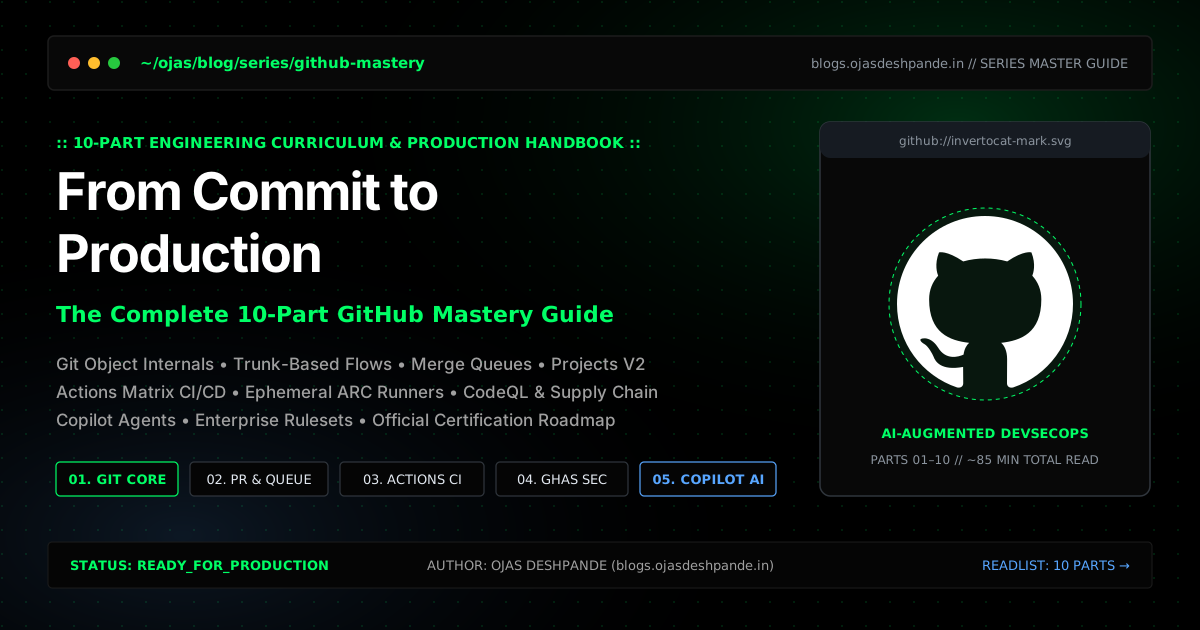
Most developers learn just enough Git and GitHub to get through their first week on the job: git clone, git checkout -b, git commit, git push, and clicking the green merge button. That works fine when two people are working on a side project. It falls apart the moment you have twenty engineers pushing to the same repo, flaky CI runs burning through runner minutes, or a production hotfix blocked by a messy branch history.
I put this 10-part series together as a practical reference for using GitHub the way modern engineering teams actually run it. Instead of treating GitHub as a passive folder for remote Git repos, we will walk through the whole lifecycle of shipping code: how Git stores objects on disk, how to keep main green with merge queues, how to wire up GitHub Actions with OIDC so you never store long-lived cloud keys again, how to lock down dependencies and secrets, and how to use Copilot and gh CLI without shooting yourself in the foot.

The 10-Part Reading List
You can read the series straight through from Part 1 to Part 10, or jump directly to the part you are setting up right now.
What Each Part Covers
- Part 1: Git vs. GitHub & Workspace Foundations: What actually happens inside
.git/objectswhen you stage and commit files, how to set up Ed25519 SSH keys to both authenticate and sign commits (gpg.format = ssh), how to rescue lost work withgit reflog, and how to structure a clean.github/folder. - Part 2: Branching Strategies & The Real-World GitHub Flow: Why long-lived
developbranches cause painful release freezes, how trunk-based development works in practice, when to use Squash & Merge versus Rebase, and how to find the exact commit that broke production usinggit bisect run. - Part 3: Mastering Pull Requests & Code Reviews: Writing PR templates people actually fill out, routing reviews automatically with
.github/CODEOWNERS, usingzdiff3conflict markers so you can see the original base code during a merge conflict, and using Merge Queues so two passing PRs cannot breakmainwhen combined. - Part 4: Issues, Milestones, and GitHub Projects: Replacing blank issue boxes with YAML Issue Forms, breaking big features into sub-issues, and wiring up GitHub Projects V2 so opening or merging a PR updates your board automatically.
- Part 5: GitHub Pages, Gists, and Developer Portfolios: Deploying static sites to GitHub Pages directly from Actions artifacts (without a messy
gh-pagesbranch), setting up custom domain DNS and TXT verification to prevent subdomain takeovers, and automating your profileREADME.md. - Part 6: GitHub Actions I — CI/CD Pipeline Fundamentals: Writing fast CI workflows with
concurrencycancellation, multi-OS matrix builds, proper lockfile caching (actions/cache@v4), failure artifact uploads, and a single status gate job for branch protection. - Part 7: GitHub Actions II — Advanced Automation & Custom Runners: Sharing CI pipelines across repos with
workflow_call, ditching static AWS/GCP secrets in favor of short-lived OIDC tokens, setting up Environment approval gates, and running ephemeral self-hosted Kubernetes runners with Actions Runner Controller (ARC). - Part 8: Security & Supply Chain Defense: Blocking accidentally committed API keys before they leave your laptop with Secret Scanning Push Protection, grouping Dependabot PRs so they don't spam your inbox, running CodeQL static analysis, and signing build provenance.
- Part 9: GitHub Copilot & Next-Gen Developer Productivity: Giving AI tools real project context with
.github/copilot-instructions.md, usinggh copilotin the terminal, and scoping tasks for autonomous coding agents while keeping strict CI and human review gates. - Part 10: Open Source Governance & Enterprise Collaboration: Choosing an open-source license, working with
upstreamandoriginforks, keeping huge monorepos fast with--filter=blob:noneandgit sparse-checkout, replacing old personal access tokens with Fine-Grained PATs and GitHub Apps, and scripting tasks withgh api.
GitHub Certifications & Study Roadmap
If you want to back up hands-on experience with an official credential, GitHub and Microsoft offer four focused exams that map directly to the topics in this series:
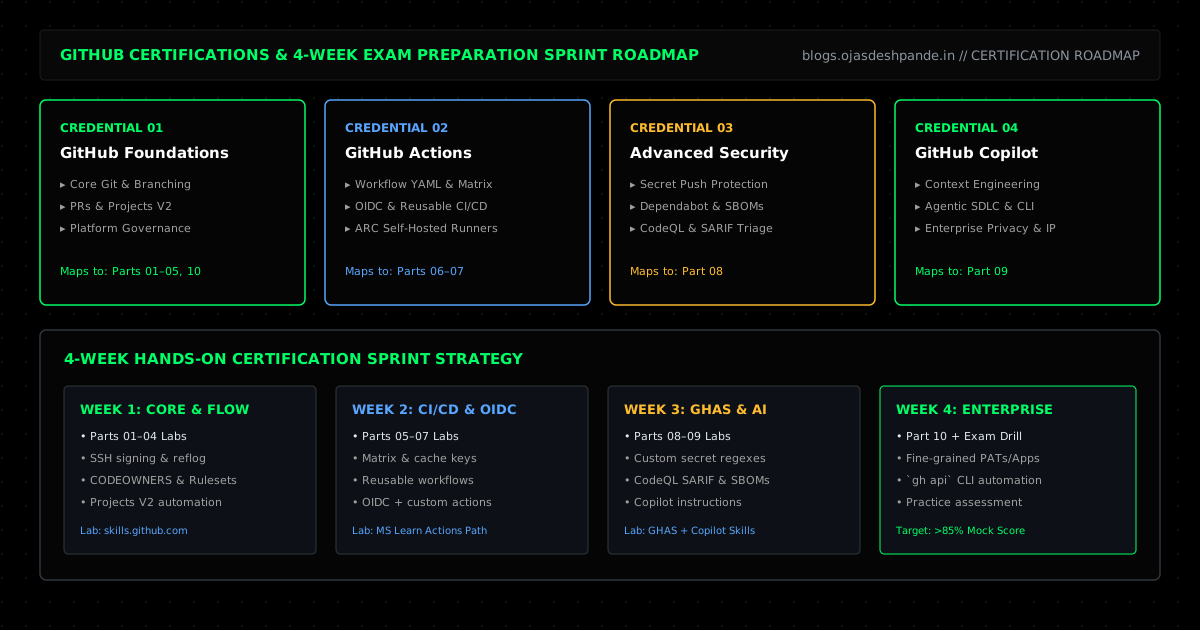
- GitHub Foundations: Covers core Git, branching, PRs, Projects, and repository management. (Matches Parts 1–5 and Part 10)
- GitHub Actions: Covers workflow syntax, matrix builds, caching, reusable workflows, custom actions, OIDC, and runners. (Matches Parts 5–7)
- GitHub Advanced Security (GHAS): Covers secret scanning, push protection, Dependabot, Dependency Review, and CodeQL. (Matches Part 8)
- GitHub Copilot: Covers context files, prompt patterns, Copilot CLI, privacy settings, and AI-assisted testing. (Matches Part 9)
Free Learning Labs & Resources
- GitHub Skills (TOKEN0): Free, interactive lab repos where GitHub Actions bots check your work as you push commits, resolve merge conflicts, and write workflows.
- Microsoft Learn GitHub Paths: Official study modules and free practice assessments for all four exams.
- GitHub Docs: Still the best reference for workflow YAML syntax, GraphQL queries, and ruleset options.
A Practical 4-Week Prep Plan
Start Reading: Jump into Part 1: Git vs. GitHub & Workspace Foundations → | Browse All Articles